Hardware Trigger
A hardware trigger watches a robot machine's own resources and runs a flow when one crosses a threshold. It is how you automate a response to a machine getting into trouble — a disk filling up, memory pinned, CPU stuck at 100% — rather than finding out afterwards.
Triggers are created in Admin Console → Triggers, with Add Trigger.
1. Trigger Type
Pick the Hardware category, then the resource to watch:
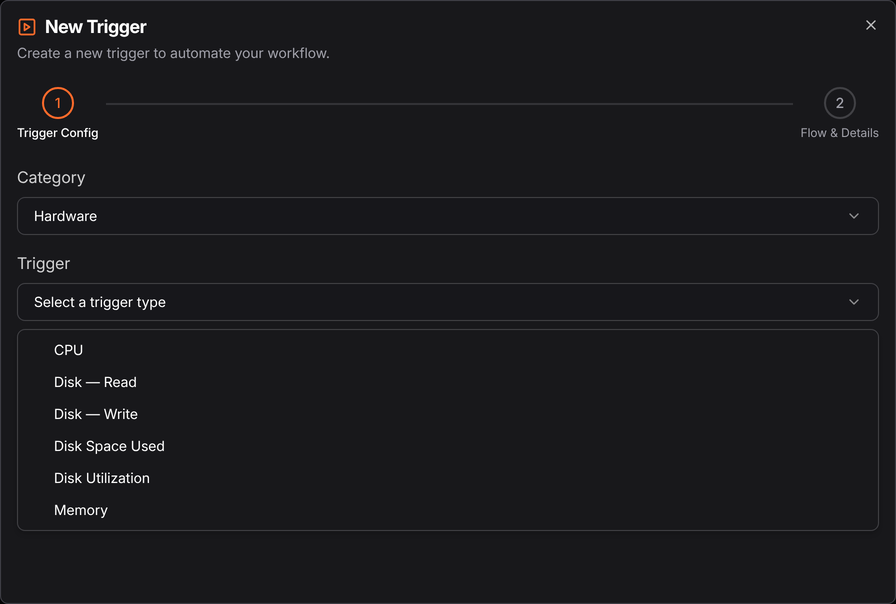
| Trigger | Watches |
|---|---|
| CPU | Processor utilisation |
| Memory | Memory in use |
| Disk Space Used | How full a disk is |
| Disk Utilization | How busy a disk is |
| Disk — Read | Read throughput |
| Disk — Write | Write throughput |
Disk Space Used and Disk Utilization sound similar and are not. Space Used is how full the disk is; Utilization is how busy it is. A disk can be 5% full and saturated, or 99% full and idle.
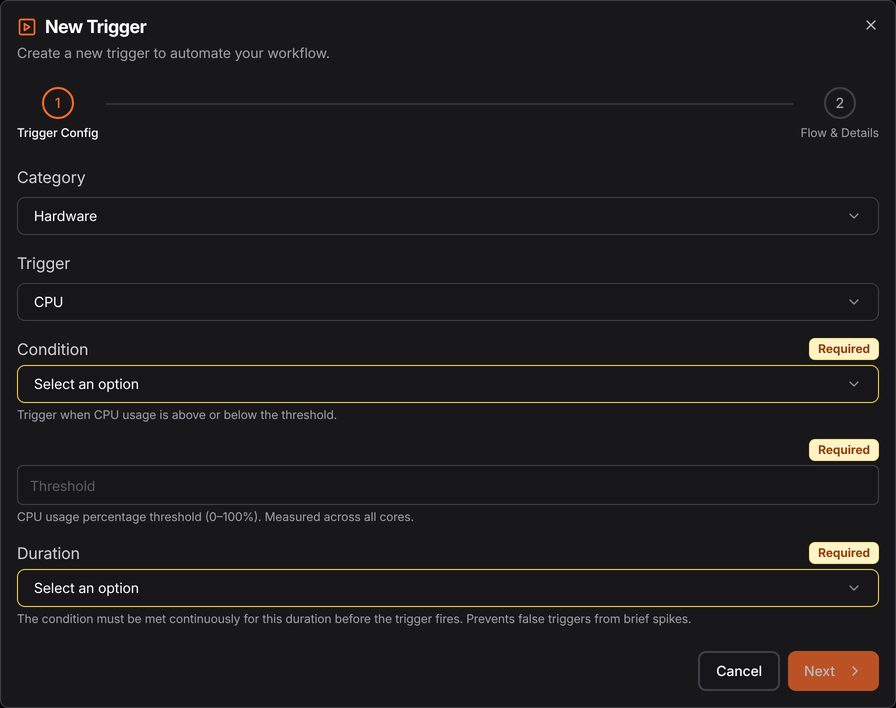
2. Flow & Details
Set the threshold, then choose the published flow, its version, and the robot to watch.
The robot being watched is the robot the trigger runs on — a hardware trigger monitors the machine it lives on, so create one per machine you care about.
What to do with it
The point is a flow that reacts, not just a notification:
- Disk Space Used over 90% → clear a temp directory, archive old files, then alert
- Memory high → stop and restart a stuck process
- CPU pinned for a sustained period → capture diagnostics while the problem is happening, which is the hard part to do by hand
The robot has to be connected. A hardware trigger on an offline robot cannot fire — and an offline robot is itself worth alerting on, which is Monitoring rather than a trigger.
See also
- Monitoring — watching whether robots are up at all
- Triggers — managing existing triggers
- Raspberry Pi — where disk headroom matters most