Admin Console
The control centre for your workspace: robots, published flows, schedules and triggers, users and permissions, queues, vaults, monitoring, licensing and API tokens.
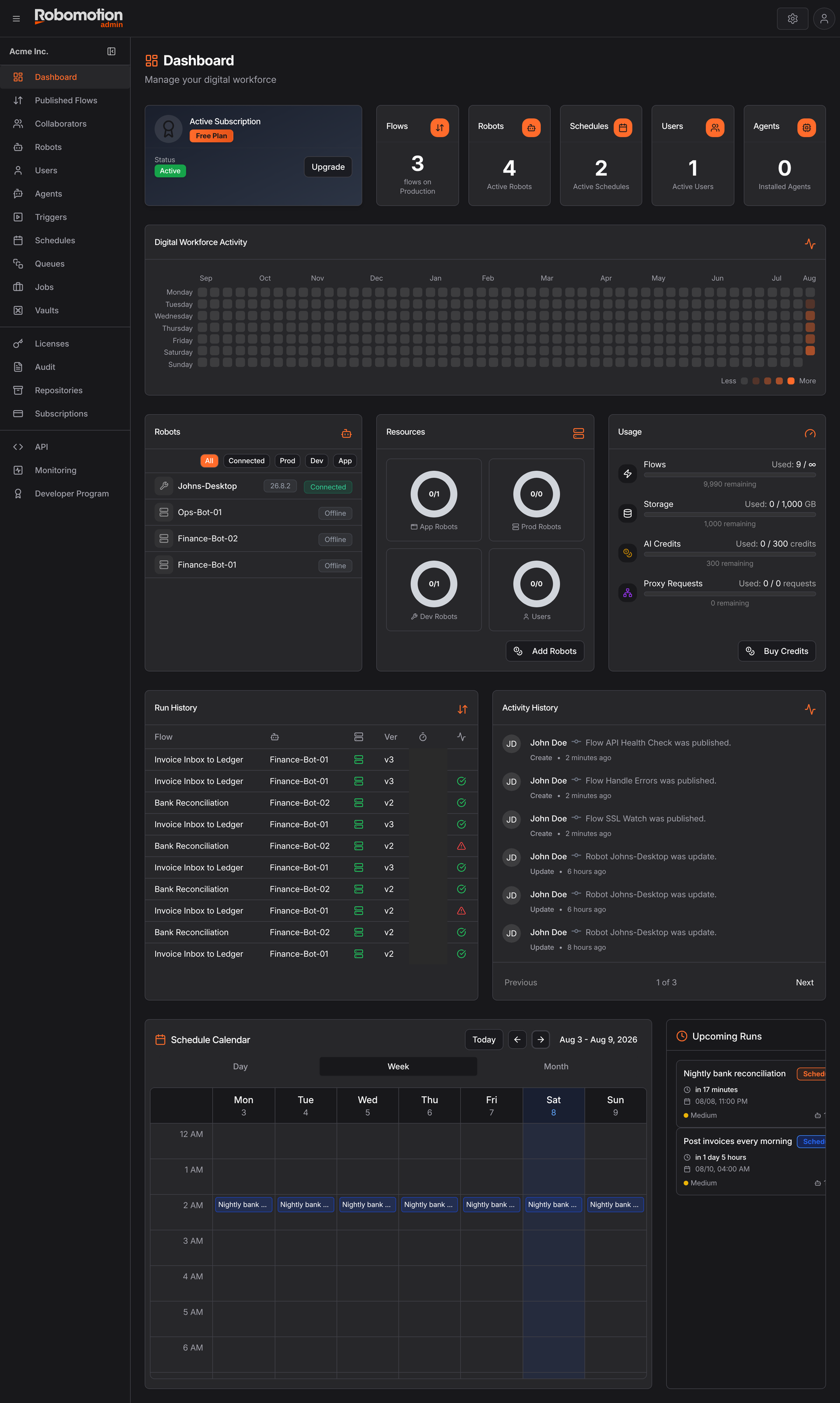
Where things are
Running work
| Page | For |
|---|---|
| Dashboard | Workspace at a glance |
| Robots | Create robots, generate tokens, see what is connected |
| Published Flows | Flows available to robots, and their versions |
| Jobs | Every run, with status, duration and logs |
| Schedules | Cron-based unattended runs |
| Triggers | Event-driven runs — HTTP, mail, file system, queue |
| Queues | Work items flows consume and produce |
| Monitoring | Alerts for robots that go quiet |
People and access
| Page | For |
|---|---|
| Users | Invitations and workspace roles |
| Collaborators | Per-flow access — Owner, Writer, Reader |
| Vaults | Credential vaults, ownership and orphans |
AI
| Page | For |
|---|---|
| Agents | AI agents, their runs and review |
Workspace
| Page | For |
|---|---|
| API | Generate and revoke API tokens |
| Audit | Who did what, when |
| Repositories | Your own package and application repositories |
| Licenses | On-Prem and Private Cloud licensing |
| Subscriptions | Plan, usage and invoices |
Two things to do on day one
Both are cheap now and expensive to retrofit.
- Share every vault with a second person — Vaults. A forgotten password makes that user's credentials permanently unrecoverable, and nobody at Robomotion can help. Sharing is the only protection, and it has to happen while someone can still open the vault.
- Add a downtime alert — Monitoring. A robot that never picks up its schedule produces no job at all, so nothing appears in Jobs. Silence is the failure mode that goes unnoticed longest.
Dashboard
The workspace at a glance: what is licensed, what is running, what ran, and what is about to.
Flows
Every flow that has been published from the Designer, and the place you schedule them.
Robots
Learn how to manage robots
Triggers
Learn how to manage triggers
Schedules
Learn how to manage schedules
Users
Learn how to manage users in your workspace
Queues
4 items
Jobs
Learn how to check the status of scheduled flows
Licenses
Licenses is where robot capacity comes from. A new workspace has none, so the page starts empty
Audit
Audit Logs records who changed what in the workspace, and keeps it. Every create, update and
Repositories
The Repositories page lists the application and package repositories added to your workspace.
API
API tokens are how anything outside Robomotion authenticates against your workspace. This page
Agents
An agent is a published flow given a face: a name, a logo, a mode of interaction, and
Collaborators
Admin Console → Collaborators shows who can work on which flows and libraries, across the
Monitoring
Admin Console → Monitoring watches your robots and tells you when one stops behaving. It
Subscriptions
Admin Console → Subscriptions is your plan, your consumption, and your invoices.
Vaults
Admin Console → Vaults is the administrator's view of the workspace's