Collaborators
Admin Console → Collaborators shows who can work on which flows and libraries, across the whole workspace. It answers "who can change this flow?" without opening each flow in turn.
Two tabs: Flows and Libraries.
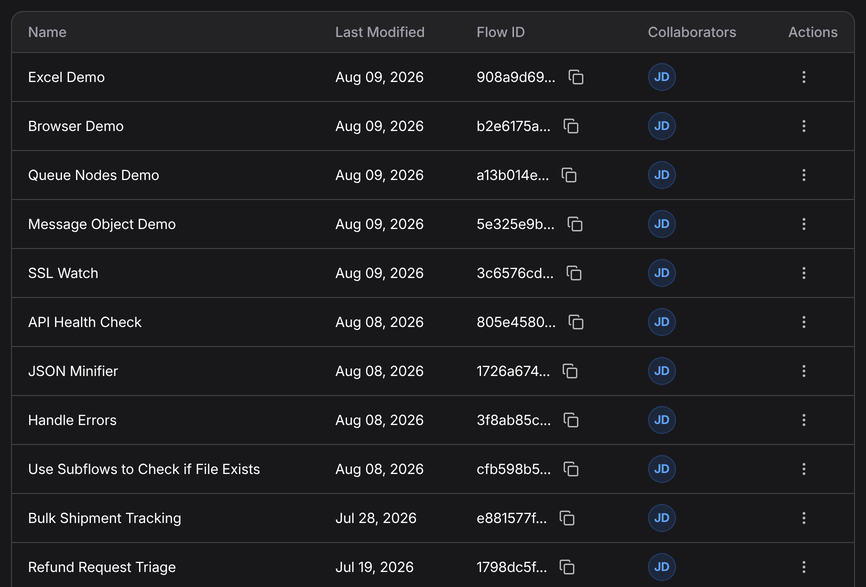
| Column | Means |
|---|---|
| Name | The flow or library |
| Last Modified | When it last changed |
| Flow ID | Its identifier, for the API and CLI |
| Collaborators | Who has access, and at what level |
The roles
The row menu's Edit opens the list for that flow. Pick a user, pick a permission, Add.
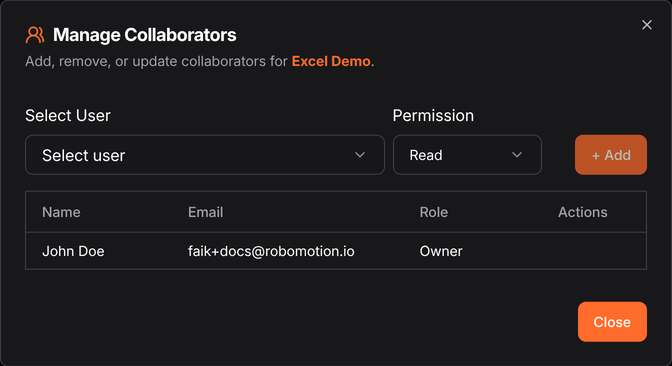
| Role | Can |
|---|---|
| Owner | Everything, including deleting and reassigning. Held by whoever created the flow, and not something you assign here |
| Write | Open and change it |
| Read | Open and run it, but not change it |
Collaborator roles are per flow, and separate from the workspace roles on Users. A workspace Member is not automatically a collaborator on anything; someone has to add them.
That separation is deliberate — it means a large workspace does not imply everyone can edit everything — but it does mean access has to be granted deliberately, and the usual complaint ("I can't see the flow") is almost always this rather than a bug.
Reader is the right default for production
A flow that runs unattended usually wants a small number of Writers and a wider set of Readers: enough people to run it and read its history, few enough that a change is deliberate. Combined with versioning that gives you a reviewable trail of who changed what.
API
/v1/collaborators.add, .delete, .get, and the workspace and user listings — see
the API Playground.
Next
- Users — workspace-level roles
- Published Flows