Subscriptions
Admin Console → Subscriptions is your plan, your consumption, and your invoices.
Tabs: Summary, Billing Info, Invoices, Payment Method.
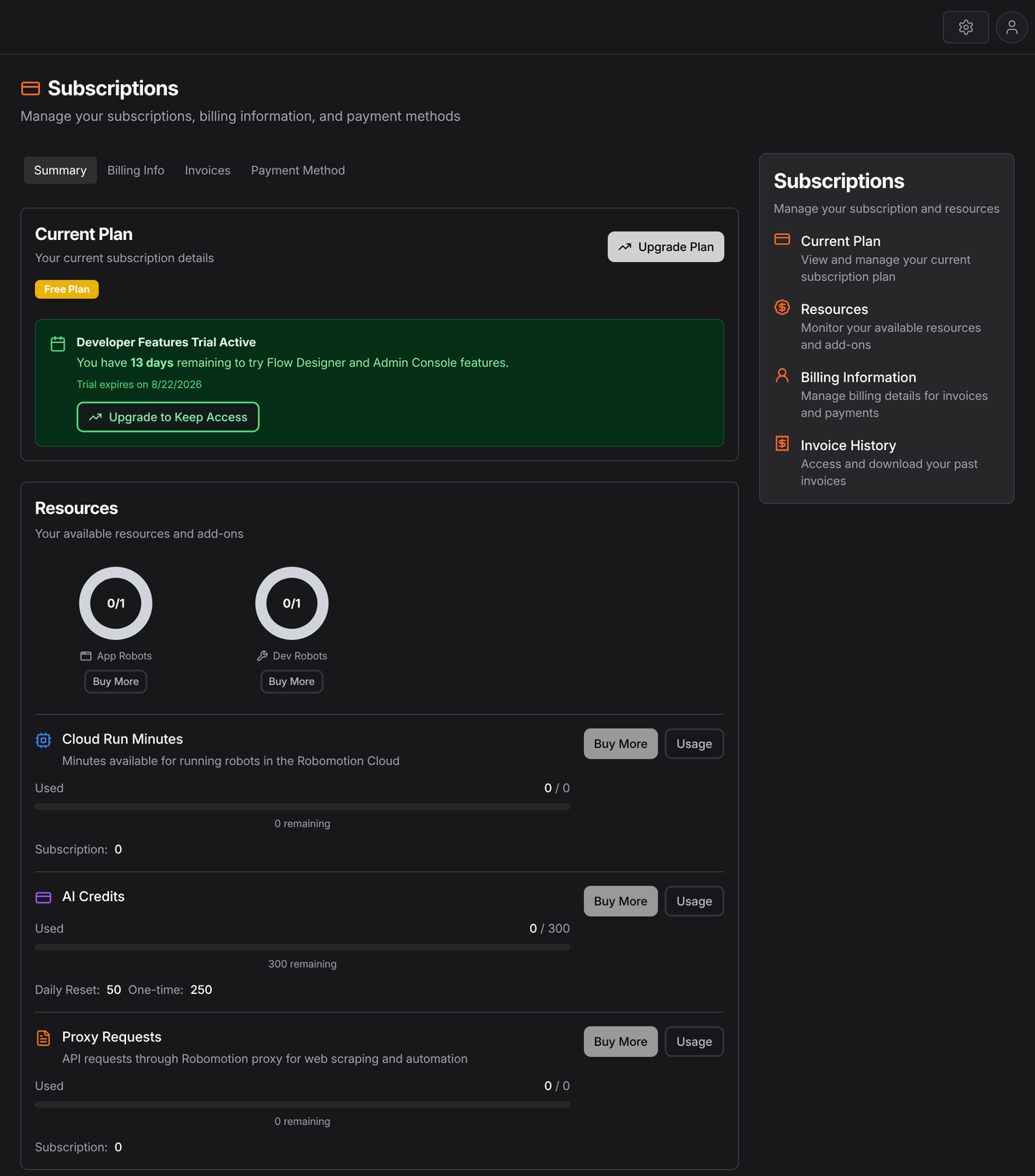
Summary is the one you will actually read. The donuts are robot seats, counted separately by robot type, and below them are the metered resources with what has been consumed against each. Every metered resource has a Usage button, which opens the breakdown — that is where a surprising bill gets explained.
What the plan governs
| Resource | Meaning |
|---|---|
| Robots | How many robots you may create, by type. Development, production and application robots are counted separately |
| Cloud Run Minutes | Minutes of flow execution on Robomotion's own robots |
| AI Credits | Consumption by AI nodes and agents |
| Proxy Requests | Requests through the managed proxy |
Robot limits are enforced at creation: robots.create returns robot_limit_reached rather than
silently succeeding. Queues are likewise plan-gated and return upgrade_plan. If you script
provisioning, handle both — see the API Playground.
The three metered resources
Everything except robot count is consumption, and each has a different reason to grow.
Cloud Run minutes accrue only when a flow runs on Robomotion's robots rather than yours. If you run everything on your own machines this stays at zero, which is worth knowing before assuming a plan is too small. See Robot.
AI credits accrue per AI node call. The usual surprise is a loop — an agent called once per row of a thousand-row spreadsheet is a thousand calls. If a step is deterministic, do it with a regular node instead; see AI Agents on where judgement is actually needed.
Proxy requests accrue when flows go through the managed proxy rather than direct.
Check consumption after your first month of real running, because the shape of it is rarely what anyone predicts.
On-Prem
On-Prem deployments are licensed with a signed licence file rather than a subscription, so this screen is replaced by Licenses. See Deployment Topologies.