Knowledge Base
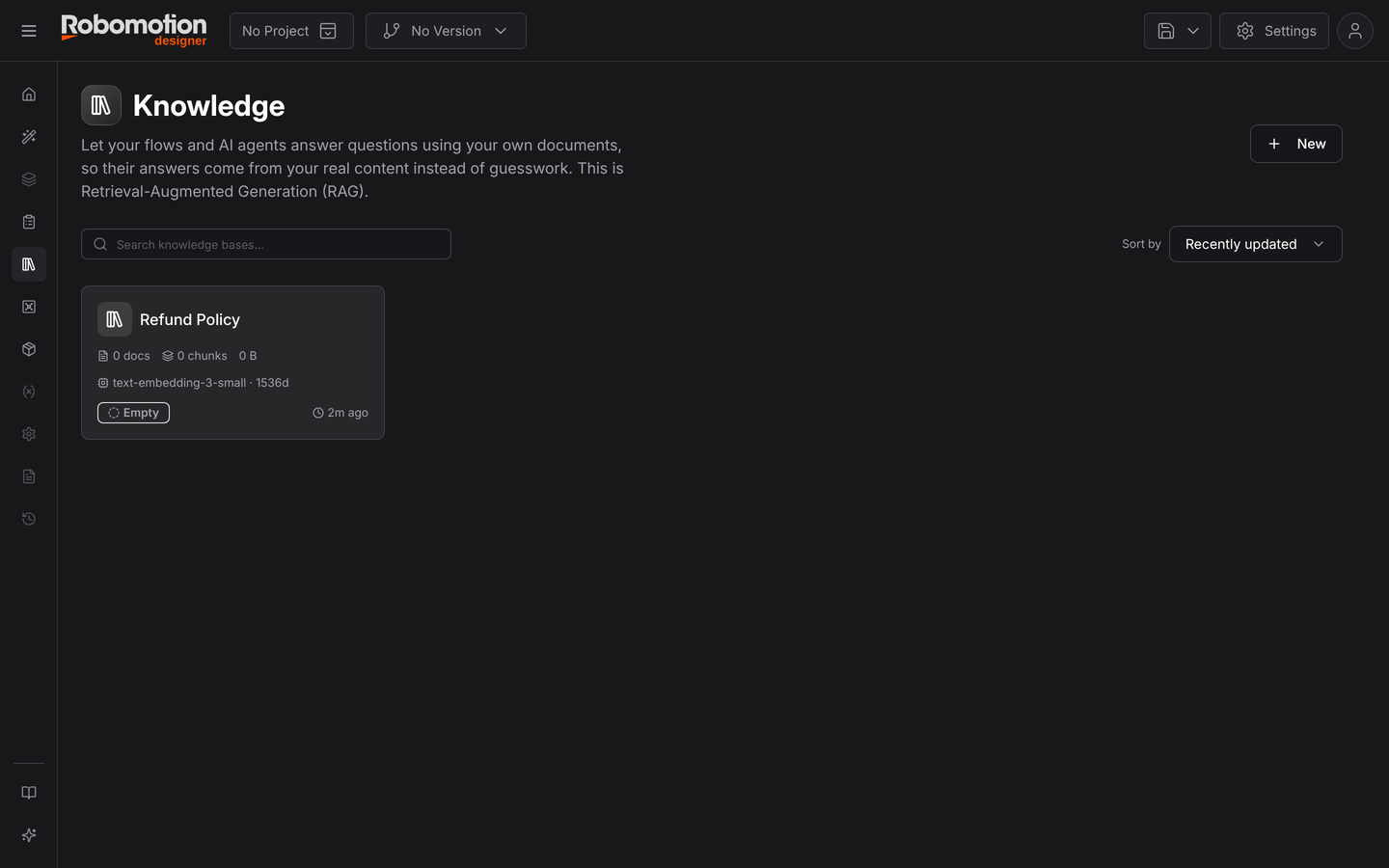
A Knowledge Base lets flows and AI agents answer from your documents instead of from what a model happened to learn. It is Retrieval-Augmented Generation, with the retrieval part run on your own machine.
Knowledge is on the Designer's left rail.
The problem it solves
A model knows a great deal about the world and nothing about your refund policy. Ask an agent to decide whether a request qualifies and you get something plausible and unfounded.
You could paste the policy into the prompt — fine until it is forty pages, and expensive on every call. A knowledge base instead retrieves only the passages relevant to this question and puts those in the prompt. It scales with the document set, and the answer stays traceable to a document you can point at.
Creating one
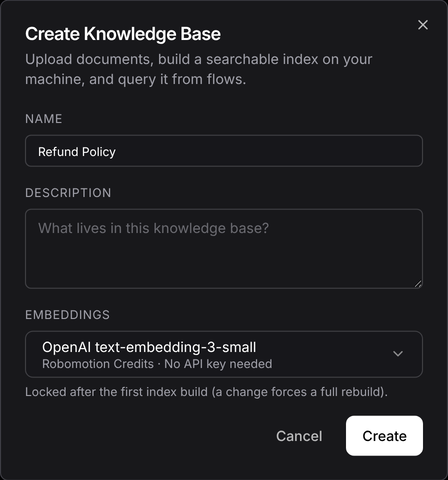
Three fields, and the third matters more than it looks:
| Field | Notes |
|---|---|
| Name | How flows refer to it — a query node can address a base by name |
| Description | What lives in it |
| Embeddings | The model used to turn text into vectors. Default OpenAI text-embedding-3-small (1536 dimensions), billed to Robomotion Credits, no API key of your own required |
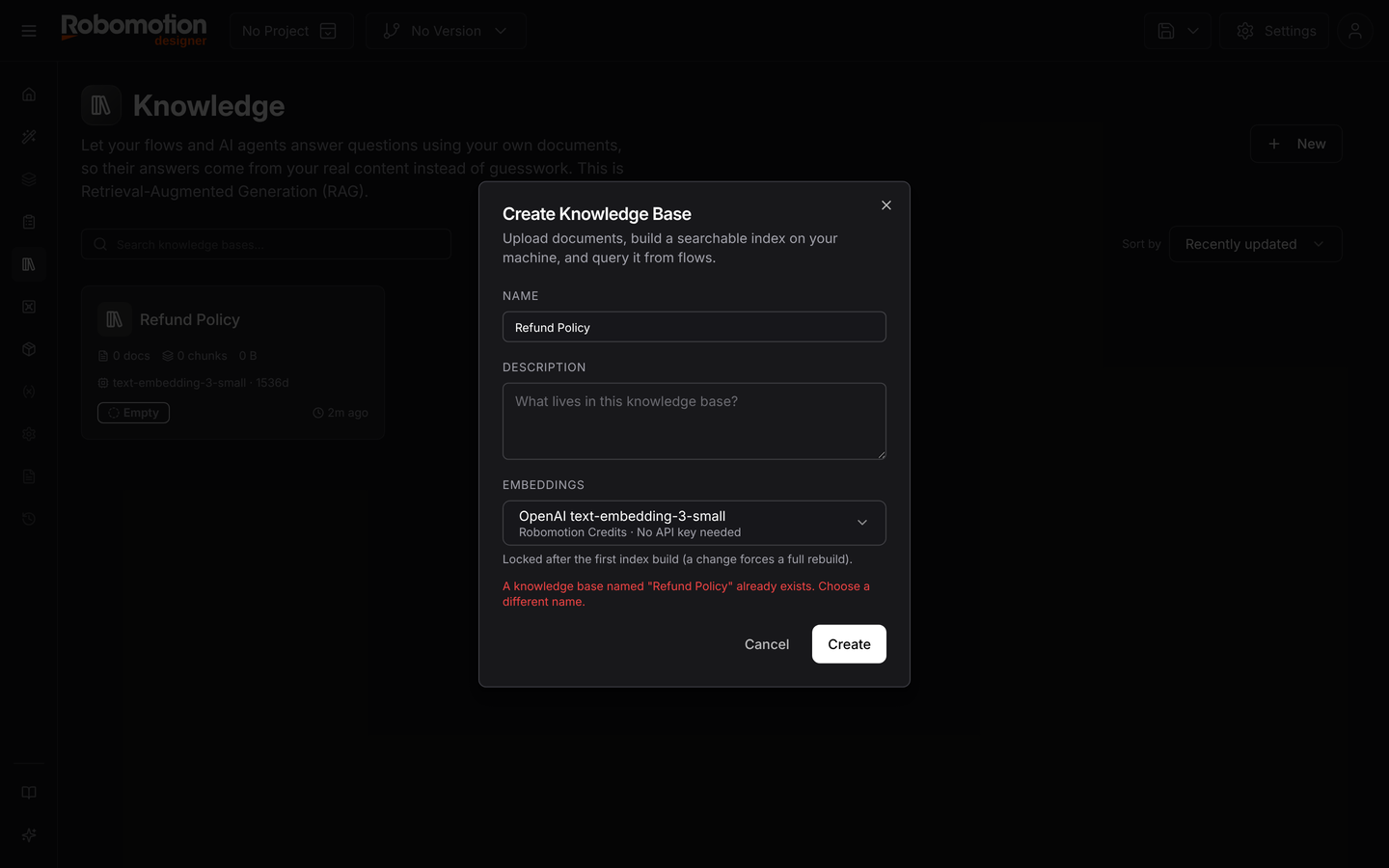
Changing it later forces a full rebuild of the index — every document re-embedded from scratch. The dialog says so, and it is worth reading twice on a large document set.
You need a connected agent
Indexing and retrieval both run locally, on a connected agent — not in the cloud. Without one, the page tells you so and does nothing else.
Either open the Robomotion Desktop application and sign in, or connect from a terminal:
robomotion-agent connect -i your_email -w your_workspace
That design is deliberate. Your documents are chunked and embedded on your own machine, and the resulting index is what gets stored — not a copy of every document in someone else's vector database.
Adding documents
Drop files onto the page or browse for them:
PDF, Word, Excel, Markdown, text and images — up to 64 MB each.
The Documents table then lists each one with its size, its chunk count and its status. Chunk count is the number worth watching: it tells you how the document was split, and a document with far fewer chunks than you expect usually means the text did not extract properly — a scanned PDF with no text layer, most often.
Building the index
Build Index runs the ingestion: extract, chunk, embed, and assemble a sqlite-vec index.
The build is versioned and leased, which matters if more than one person works on the same base:
- Starting a build takes a lease on the knowledge base and marks it
building. A lease goes stale after 30 minutes, so a crashed build does not lock the base permanently. - The build is checked against the index version it started from, so two people building at once cannot silently overwrite each other — the second one is rejected rather than merged.
- Committing atomically bumps the version. Until then the old index stays live, so a failed build leaves the previous one serving queries.
- The last two versions are kept. Anything older is swept after a commit.
Builds are incremental where possible, doing only what changed, and full when they have to be — which is what changing the embedding model forces.
Testing retrieval
The Retrieval Test panel on the right asks the question you expect your users to ask, before you wire anything into a flow:
| Control | What it does |
|---|---|
| Query box | The question |
| Mode | Hybrid by default — vector similarity and keyword matching |
| Top N | How many passages to return; Top 5 by default |
Hybrid is the sensible default. Pure vector search is good at meaning and bad at exact tokens — part numbers, error codes, surnames. Keyword search is the reverse. Hybrid covers both.
Use this before blaming the model: if the right passage does not come back here, no amount of prompt engineering downstream will fix it.
Querying from a flow
Retrieval in a flow uses the Knowledge Base package (Robomotion.KnowledgeBase), which runs
on Linux, Windows and macOS:
| Node | Does |
|---|---|
| Query KB | Hybrid retrieval against a knowledge base, by id or by name |
| Add Document | Adds a document from inside a flow, rather than by hand |
| Rerank | Re-orders retrieved passages with a dedicated reranking model — Cohere, Voyage AI or Jina |
| Toolkit | Exposes the knowledge base to an AI agent as a tool it can call itself |
At run time the robot downloads the current index and caches it locally, then queries that cache. Retrieval is a local operation on the robot, so it stays fast and keeps working on a slow link.
Rerank is worth knowing about. Retrieval optimises for recall — get the right passage somewhere in the top twenty. A reranker then scores those twenty properly and puts the best first, which is what you want when only the top three reach the prompt.
Toolkit is the difference between you deciding when to search and the agent deciding. With a toolkit attached, an agent can look something up mid-conversation, exactly as it would call any other tool.
Practical notes
Chunking is not free. A document split badly retrieves badly. If answers keep missing context that is obviously in the source, look at the chunk count before anything else.
Scanned PDFs need OCR first. A PDF with no text layer indexes as almost nothing. Run it through Document Processor or an OCR package first.
Keep bases narrow. One base per subject retrieves better than one base holding everything — retrieval is competitive, and unrelated documents crowd out the right answer.
See also
- AI Agents — what consumes a knowledge base
- Agents — the connection indexing needs
- Document Processor — getting text out of awkward files