Variable Manager
The Variable Manager is the single place to see and edit every variable in a flow, instead of opening node after node to find where one is set.
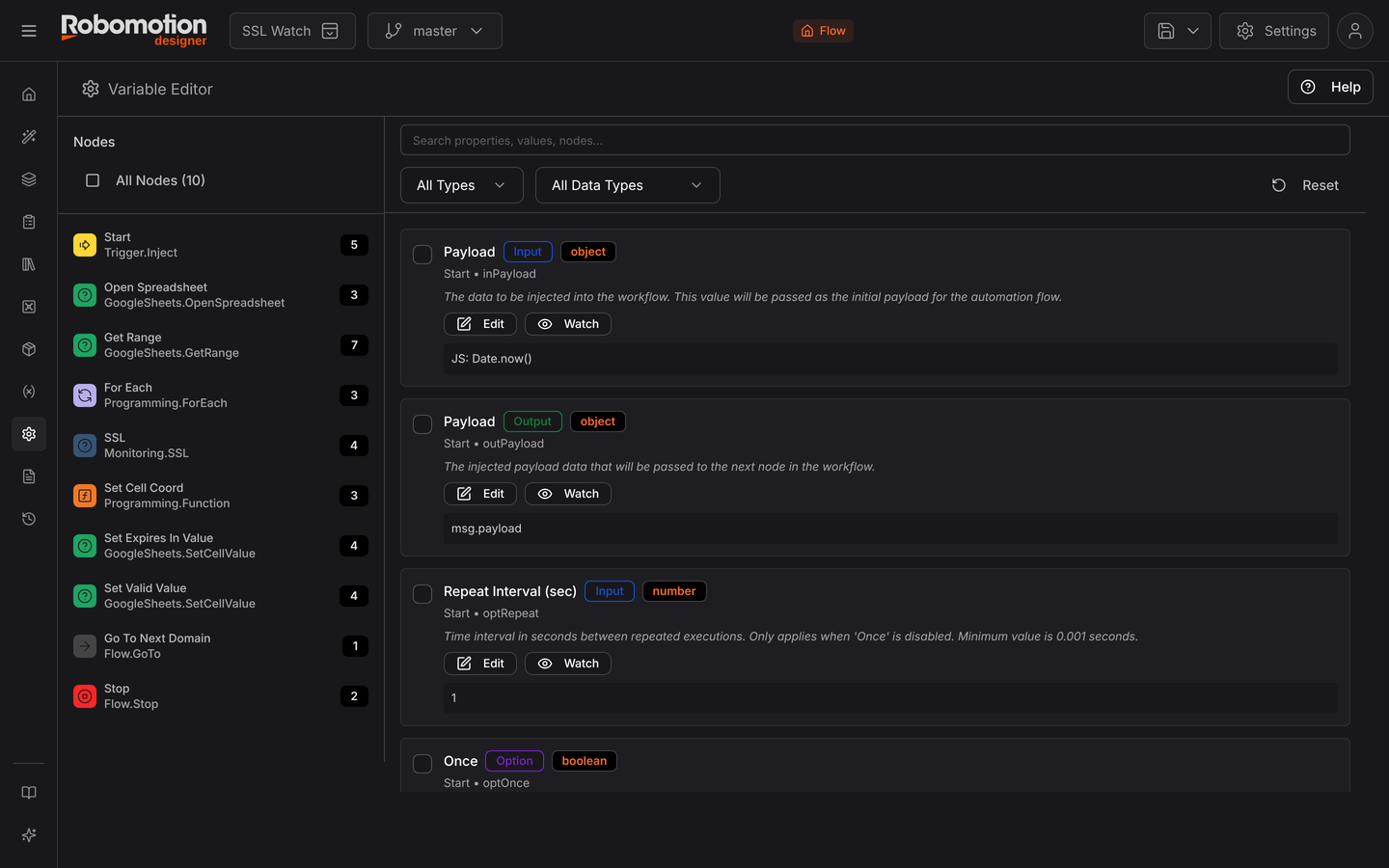
For what variables are and how their scopes differ, see Variables. This page is about managing them at scale.
What it is for
Finding where a variable is used. The question "what sets retry_count?" is answered here
in one look rather than by opening twenty nodes.
Spotting the ones that are not used at all. Flows accumulate variables that a since-deleted node used to read. They are harmless but they make a flow harder to understand, and the manager is where you notice them.
Auditing scope. A value that should be flow-scoped but was created as global will behave strangely the moment two flows run at once. Seeing every variable with its scope in one list is how that gets caught.
Renaming consistently. Renaming a variable in one node and forgetting the other three is a classic cause of a flow that fails intermittently.
Variables, or the message object?
The distinction worth getting right, because the wrong choice causes confusing bugs:
| Use | For |
|---|---|
Message object (msg) | Data flowing through this run — read a file, use its contents. See Passing data between nodes |
| Flow variable | Something the whole flow shares, that does not belong on the message |
| Global variable | Something shared across flows — a base URL, an environment name |
The default should be the message object. A value on msg travels with the run and is visible
in the Debug panel, which makes it far easier to reason about. Reach for a variable when a value
genuinely outlives one node-to-node hop.
A global variable is shared. Two flows running at once see the same value, so a global used as a scratch counter will produce results that make no sense — and only under load, which is the worst way to find out. Keep globals for configuration that is read and not written.
Next
- Variables — scopes in full
- Message object
- Vaults — where secrets go instead