Visual Diff
Visual Diff compares two points in a flow's history and shows the difference on the canvas — which nodes were added, removed or changed, and exactly which properties moved.
It answers the question that is otherwise very hard to answer about a graph: what actually changed between the version that worked and the one that does not?
Every save is a commit
A flow is a git repository. Each time you Save, the Designer commits — so a flow accumulates a history without you doing anything to maintain one.
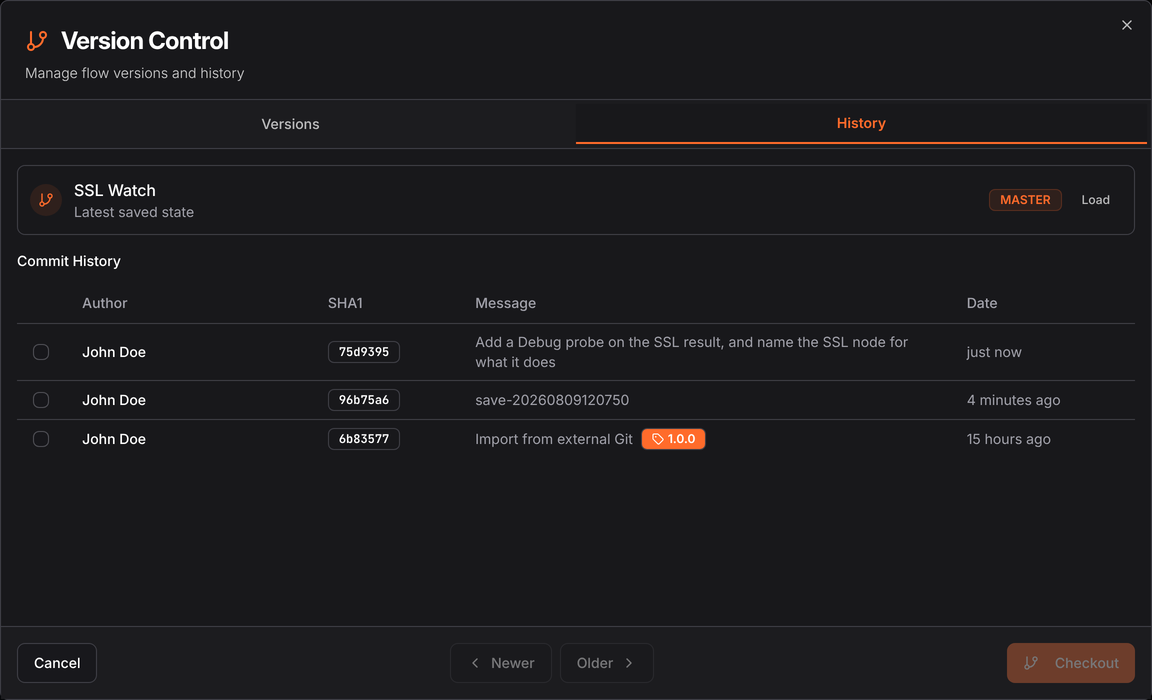
Open the version selector in the top bar and choose the History tab. Each commit shows its author, SHA, message and age, and a version tag where one was cut. Newer and Older page through.
The Versions tab lists snapshots you cut deliberately and gave names to. History lists every save. You can diff either — see Versions.
Comparing two points
Tick the checkboxes on two rows. The Checkout button becomes Compare:
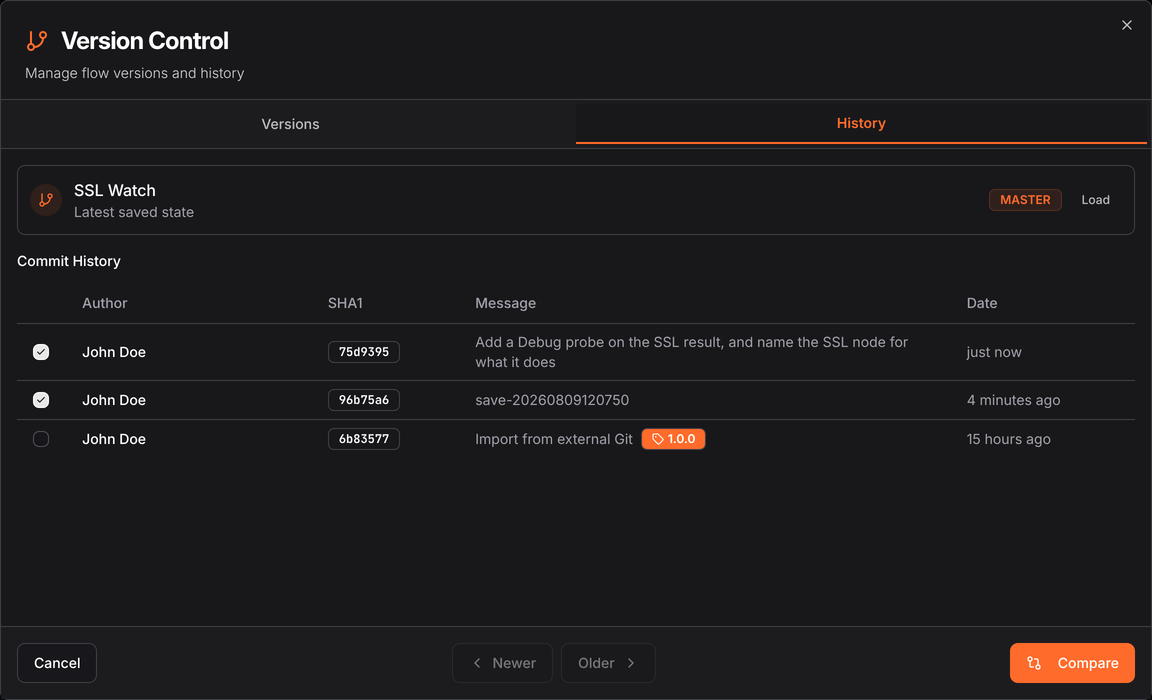
Press it, and the canvas enters diff mode.
Reading the diff
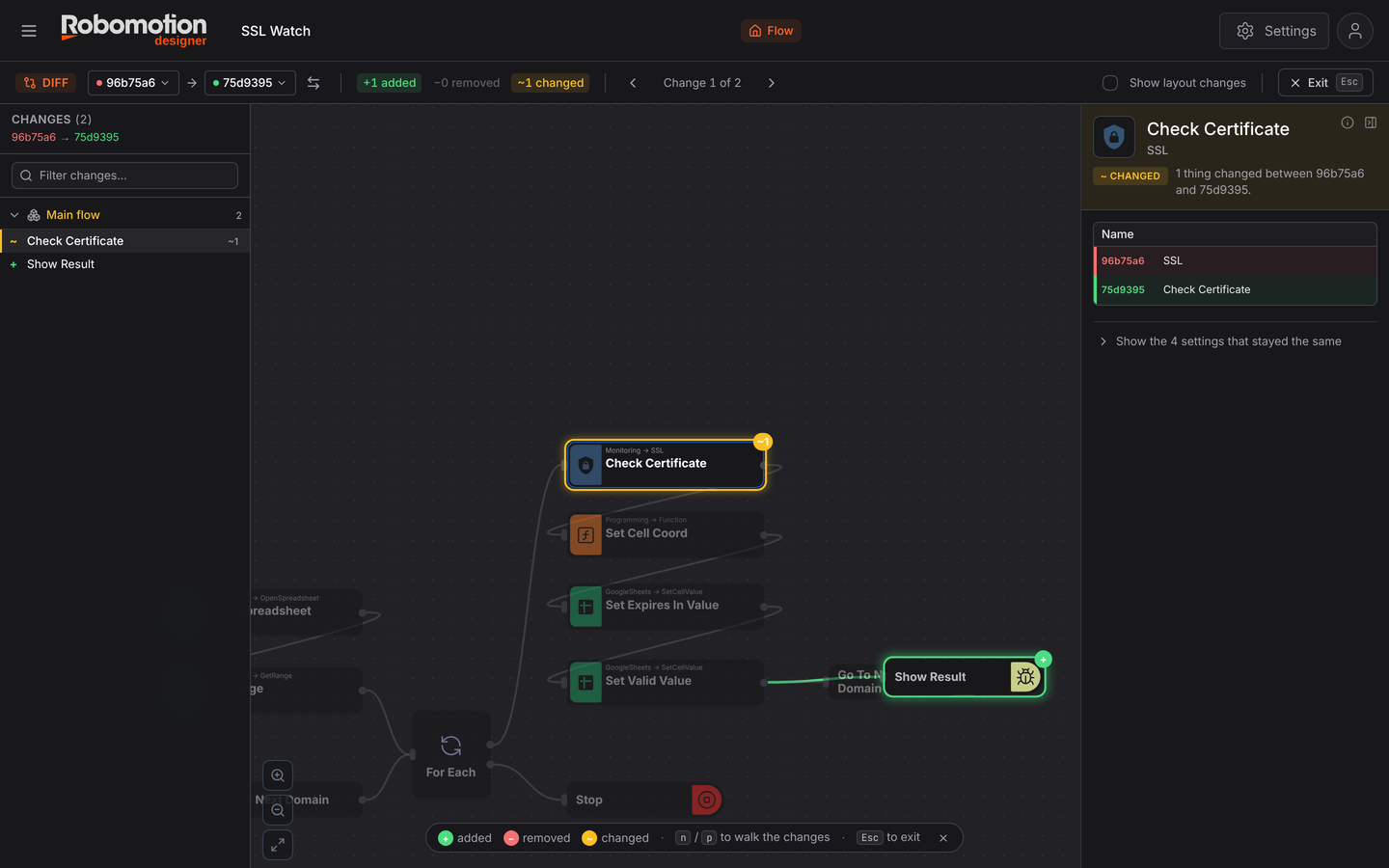
Three regions, and a summary bar across the top.
The summary bar
96b75a6 → 75d9395, then the counts: +1 added, −0 removed, ~1 changed.
| Control | |
|---|---|
| ⇄ | Swap the two versions — compare in the other direction |
| ‹ Change 1 of 2 › | Step through the changes; the canvas jumps to each |
| Show layout changes | Off by default. Include nodes that only moved |
| Exit / Esc | Leave diff mode |
Show layout changes is the one worth understanding. Moving a node changes the file but not the behaviour, so by default a diff hides pure position changes and tells you "no logic changes between these two versions" even though the commit is not empty. That is deliberate: a rearranged canvas should not look like a modified flow.
The changes panel
Down the left: every change, grouped by flow and subflow, with a filter box. ~ marks a changed
node, + an added one. Clicking an entry selects it on the canvas.
The canvas
The flow is rendered with everything unchanged dimmed, and the changes picked out:
| Colour | Meaning |
|---|---|
Green with + | Added in the later version |
Red with − | Removed |
Amber with ~n | Changed, and how many settings changed |
The dimming is what makes it readable — on a forty-node flow your eye goes straight to the three that matter.
The property panel
Selecting a changed node shows exactly what moved, old value above new:
Check Certificate —
~ CHANGED, 1 thing changed between 96b75a6 and 75d9395
Name 96b75a6SSL 75d9395Check Certificate
Below it, "Show the 4 settings that stayed the same" — collapsed by default, so the difference is not buried in the properties that did not move.
Keyboard
| Key | |
|---|---|
n | Next change |
p | Previous change |
Esc | Exit comparison |
On a flow with a dozen changes, walking them with n is much faster than hunting the canvas.
When to use it
Before rolling back. See what you would be undoing before you check out an older version.
When a scheduled flow starts failing. Diff the version that ran cleanly against the current one. The failure is usually in the amber node.
Reviewing someone else's change. A commit message says what a person meant to do; the diff says what they did.
After an import. Importing a template over an existing flow can change more than you expect.
Editing a flow through git
Because the flow is a real repository, you can work on it outside the Designer — useful for bulk edits, code review, or generating a flow programmatically.
The Designer shows the clone command on the project page. Authenticate with an API token as the password:
git clone https://x-api-token:$ROBOMOTION_TOKEN@api.robomotion.io/v1/git/<flow-id>/<slug>.git
The repository holds main.ts (the flow, built with the @robomotion/sdk builder),
main.designer.ts (canvas positions — cosmetic, never affects execution) and any
subflows/*.ts. Commit and push, then refresh the Designer and the flow updates.
Pushed commits appear in History like any other, so they diff exactly the same way.
Keeping positions in main.designer.ts is what lets Visual Diff separate "this flow changed"
from "someone tidied the canvas". A commit touching only that file shows no logic changes.
See also
- Versions — named snapshots and publishing
- History — the change record
- API tokens — authenticating a clone